

Every Airbnb listing has its own calendar link (an iCal link). Give that link to TIOO once and TIOO keeps checking it. New Airbnb bookings then appear on your Reservations page by themselves.
One Airbnb listing goes with one TIOO room. If you have three listings, you connect three links.
1. Copy the link from Airbnb
- Go to your Airbnb hosting dashboard.
- Open Calendar and choose the listing.
- Open Availability Settings (the gear icon).
- Scroll to Connect Calendars and choose Export Calendar.
- Copy the calendar link.
2. Paste it into TIOO
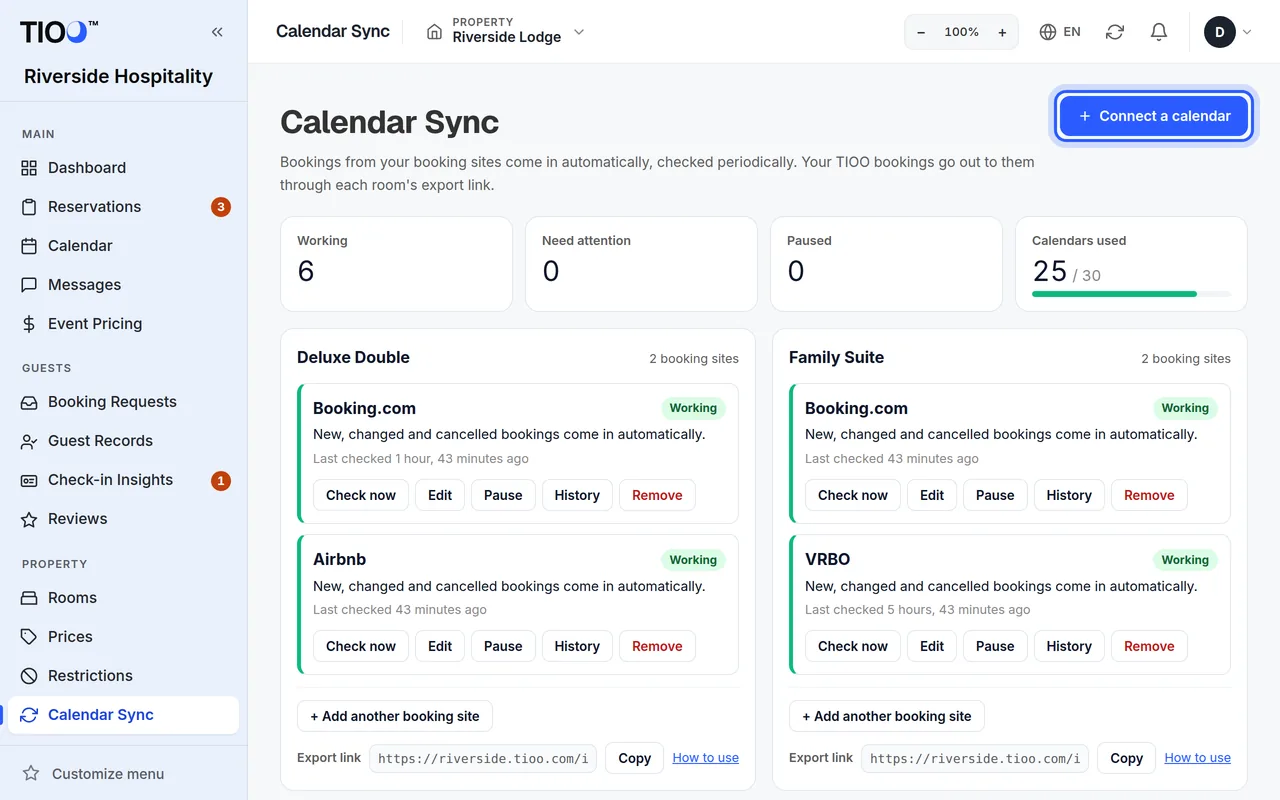
- Open Calendar Sync in the menu.
- Click Connect a calendar at the top, or Connect a booking site on the room's card. If the room already has a booking site, the button says + Add another booking site.
- Under Room, pick the TIOO room this listing belongs to.
- Under Platform, pick Airbnb.
- In Listing Name on Platform, type the listing's title as Airbnb shows it. This is optional, but it helps you check that the right link is on the right room.
- Paste the link into Calendar Feed URL.
- Click Add Connection.
TIOO checks the calendar straight away and then keeps checking it. The top of the Calendar Sync page says how often.
3. Check it works
On the room's card, the Airbnb line should say Working, with the time it was last checked. Click Check now to check again, or History to see what each check found.
What comes through, and what doesn't
The calendar link only carries the dates of each stay. It does not carry the guest's email or phone number. To fill in guest details:
- Make sure Airbnb's booking emails reach your TIOO address: Forward your booking emails.
- For bookings you already have, upload Airbnb's reservations export: Bring in your past bookings. Airbnb's file has the confirmation code and the guest's phone but no email address. That's normal.
If a guest cancels on Airbnb, the stay leaves the calendar and TIOO cancels the booking too.
Also send your TIOO bookings to Airbnb
Airbnb also needs to know about nights you sell elsewhere. In the same Connect Calendars area of Airbnb, choose Import Calendar and paste the room's TIOO export link. See Let the booking sites see your TIOO bookings.
Careful: If the same room is on Booking.com and Airbnb, TIOO does not pass Booking.com bookings on to Airbnb (or the other way round). Connect the two sites' calendars to each other in their own settings too.
Good to know
- How many calendars you can connect depends on your plan. See the Calendars used tile, and Which plan do I need?.
- Use Edit to fix a wrong link. Remove stops Airbnb bookings coming in for that room; bookings already in TIOO stay.
- Owners, admins and managers can connect calendars.
Related guides
- Connect your Booking.com calendarPaste each room's Booking.com calendar link into TIOO so new bookings appear by themselves.
- Let the booking sites' calendars see your TIOO bookingsGive each booking site your room's TIOO export link so it closes nights you have already sold.
- My calendar isn't syncingBookings from Booking.com or Airbnb aren't showing up? Read the state on the calendar and work down this list.