
Self check-in. The phone is the key.
A hotel self check-in app without the app: guests check in from a link, get a door code that only works during their stay, and open the door from their phone. No key handover, no waiting at reception, no late-night calls.
Check-in on every plan, including FreeSmart locks from Starter
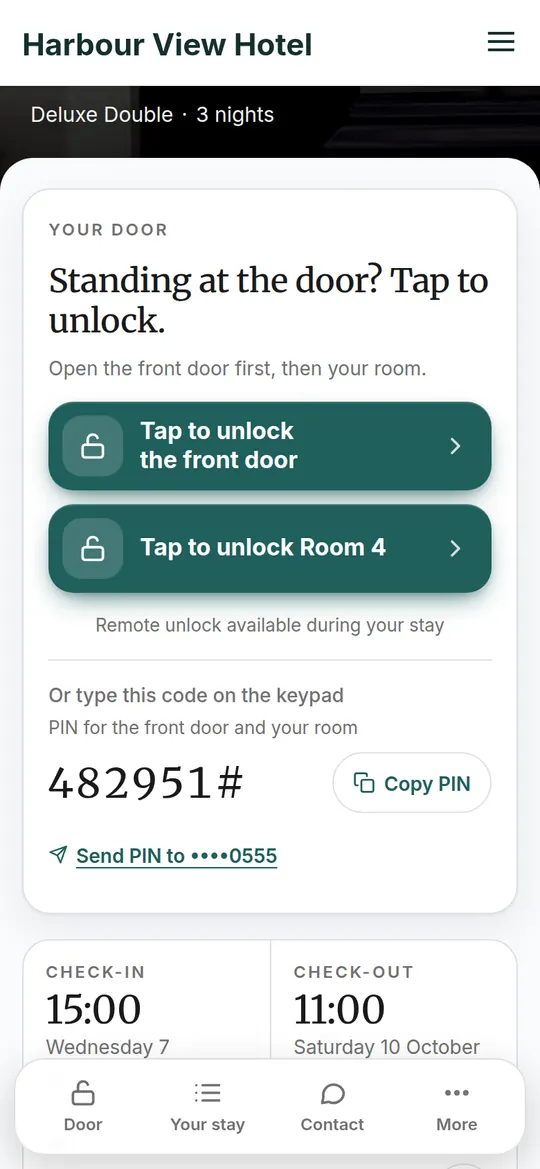
From the booking email to the open door, in three steps.
Everything the guest does lands on their booking in your dashboard. Click a step, or scroll, to see what they see.
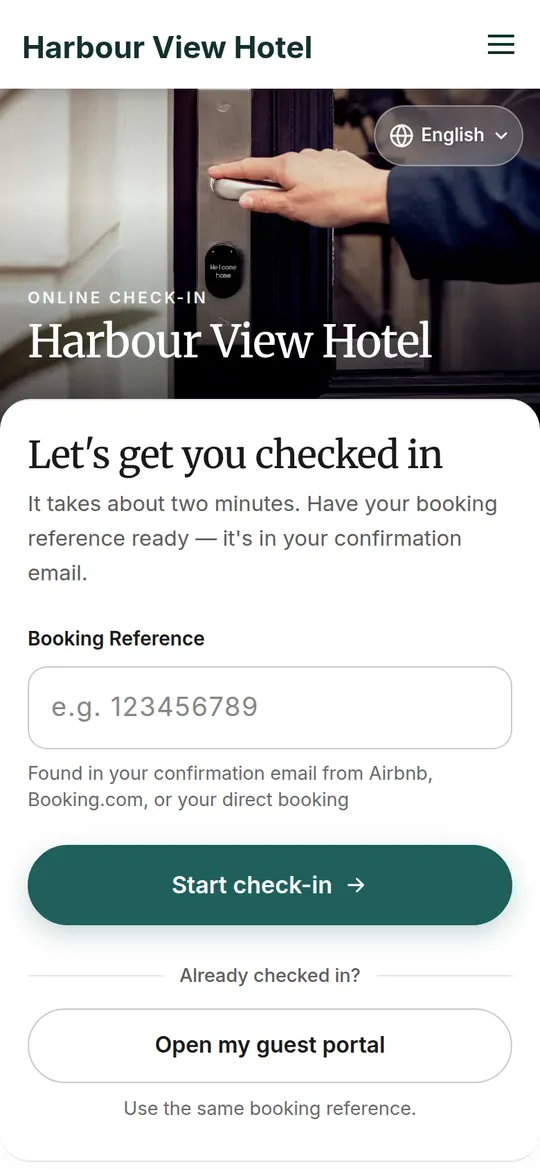
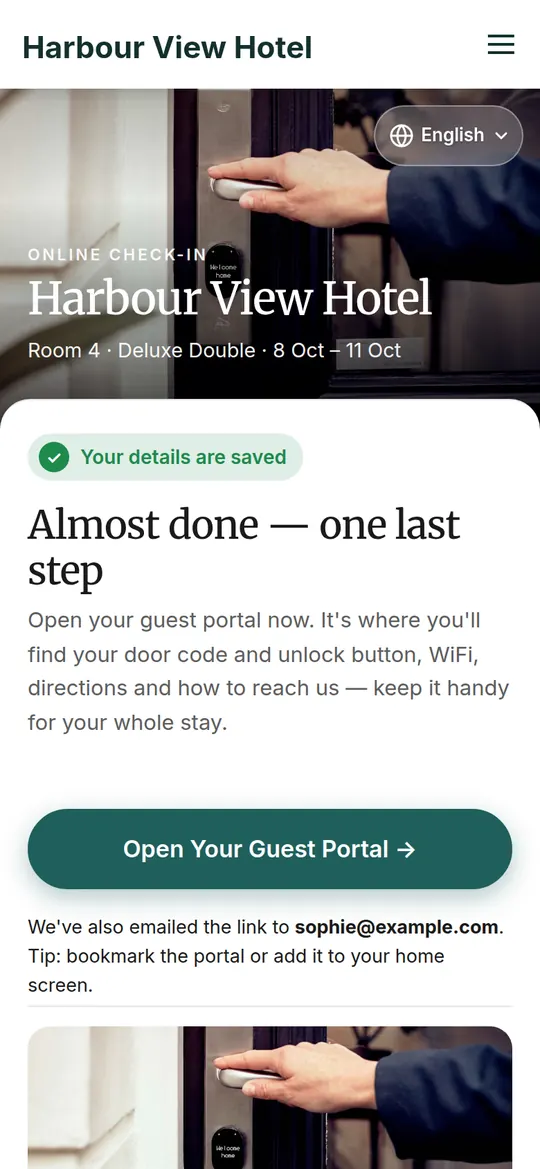
You choose the steps. Guests answer in a minute.
Switch each step on or off per property. A city hotel asks for an ID photo and an arrival time; a cottage asks for the car and nothing else.
- Name, email and phone, confirmed
Bookings from Booking.com arrive with little more than a name. Check-in fills in the rest, so you can reach the guest.
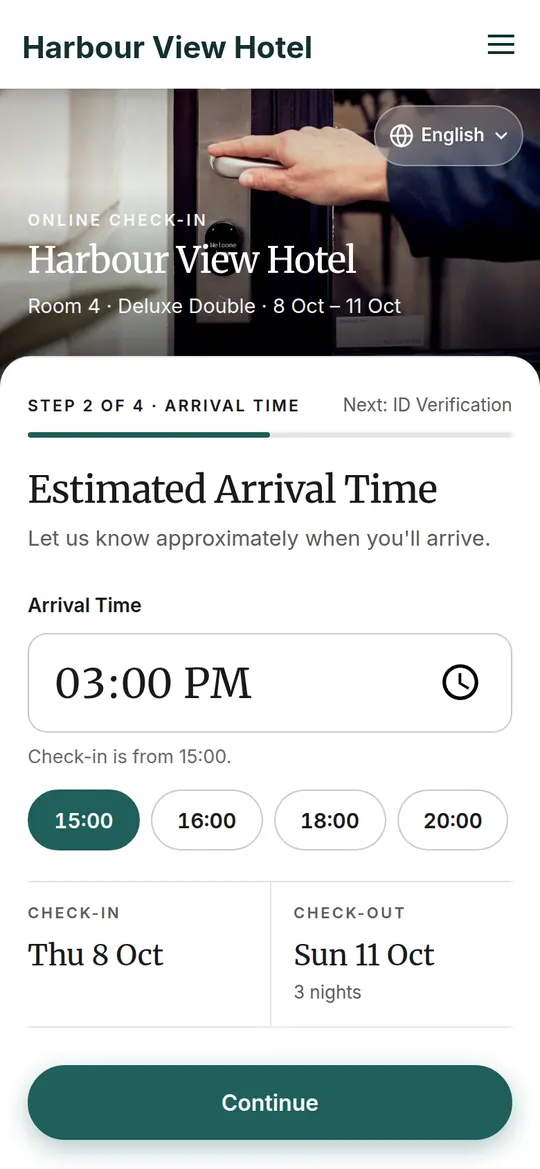
- Arrival time
Picked from a list that starts at your check-in time. Late against it, the booking gets an overdue mark on your reservations page.
- Car and parking
A yes/no for the car, the registration, and your parking instructions with a photo. The parking page shows who is parked tonight.
- ID photo, for one guest or every adult
Taken with the phone's camera, checked, stored privately and deleted automatically after the time you set. Some countries need an ID for every adult; TIOO can ask for all of them.
Growth and above - House rules, accepted on the record
Your rules in the guest's language, with a tick box. TIOO keeps the exact wording each guest accepted, with the time.
- Offer an upgrade or another room
If a better room is free that week, check-in can offer it. The guest asks, you approve.
A code for each stay, made and removed for you.
With a smart lock, TIOO puts a code on the lock about two days before arrival and takes it off after checkout. The guest sees it in the guest app from check-in time on arrival day — never earlier, never by email.
- One code for the building's front door and the room door, when both have locks.
- Change a room or grant a late checkout and the code follows; the guest is told if it changes.
- Every lock's battery is checked daily; you're warned before it runs flat.
- Unlock a door yourself from the dashboard for a delivery or a cleaner.
- A code that fails to go on the lock shows up on the booking, with the reason, and a retry button.
No smart lock? Tell TIOO how each room is opened — key safe, lock box, reception, meeting the guest — and the guest app explains it. Which locks work
Arrivals mark themselves.
When the guest opens the door, the booking turns from Checked in to Arrived, you get an email, and the row stays green while they're in the house. Without a lock, one tap marks the arrival by hand.
TIOO was built inside RoomKeyPin, the founder's own business.
RoomKeyPin is the founder's own guest house: 7 rooms let individually, running since 2016.
Figures from RoomKeyPin's own TIOO account, October 2026. Not rounded up. We don't publish reviews we can't stand behind.
Questions about self check-in
Do guests need to download an app?
What if I don't have a smart lock?
When does the guest see the door code?
Can I ask for an ID photo?
Guests open the door with their phone.
Online check-in and the guest app come with every plan. Add a smart lock from the Starter plan.
No card neededKeep your Booking.com and Airbnb listings