

Your business has one check-in link for every guest. The guest opens it and types their booking reference. TIOO then finds their booking.
TIOO sends it for you
The day before arrival, TIOO emails each confirmed guest a check-in reminder with the link and their booking reference, in the guest's language. This needs an email address on the booking. Guests who booked on your website are also told about online check-in when you accept their booking.
Send it yourself
- Open Settings → Guest portal & online check-in (owner or admin).
- On the Check-in tab, find Guest Check-in Link and click Copy.
- Send the link to the guest, for example from Messages, together with their booking reference.
The link is your website address followed by /check-in/. It works even if you haven't published a website.
Note: The guest can only start once the booking has a booking reference. Bookings from a booking site's calendar get it from the booking email. See Forward your booking emails.
When it works
- Online check-in opens 3 days before arrival.
- If the reference isn't found, or it's too early, the guest sees one general message asking them to check the reference or contact you. For privacy it doesn't say which.
When the guest finishes
- On Reservations the booking shows Check-in started while the guest is part-way through, and Checked In once they finish.
- The guest gets their guest app, and an email with its link if they gave an email address.
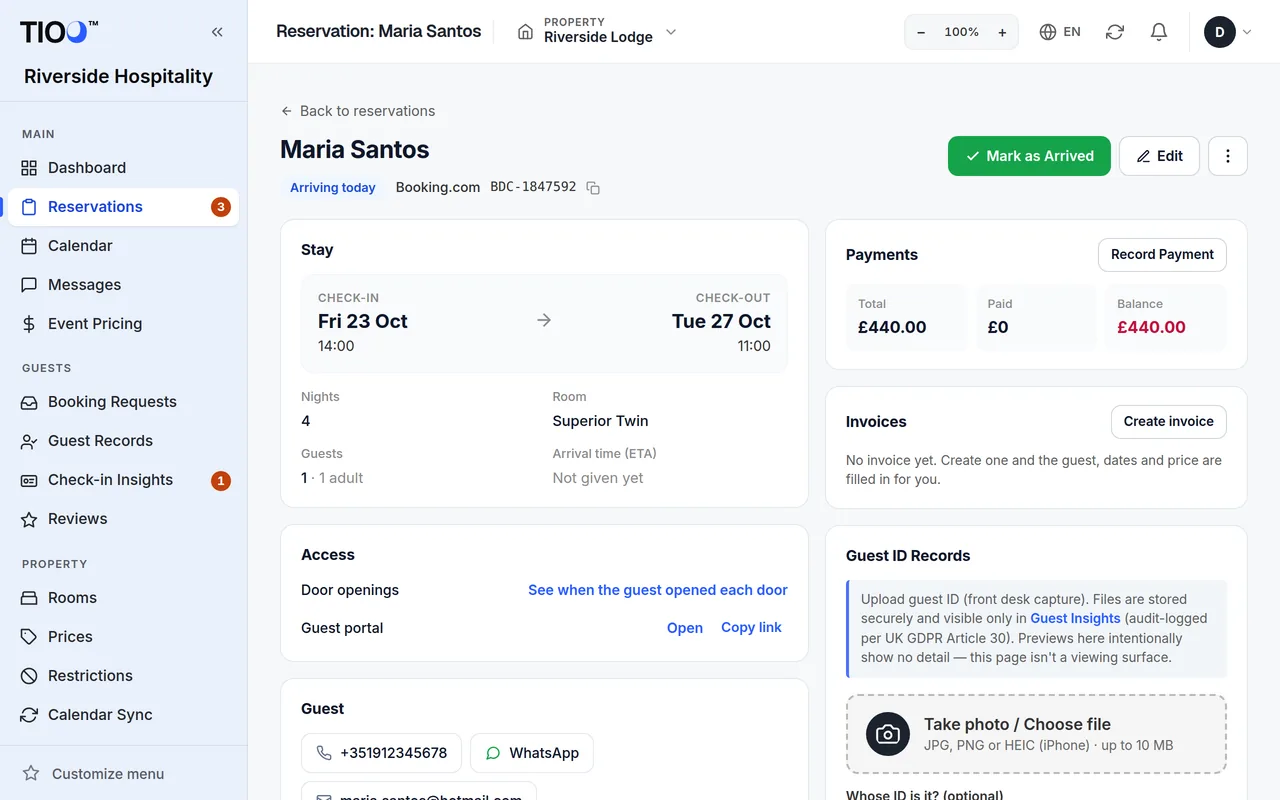
- On the booking's page, the Access box shows Guest portal with Copy link, so you can send the guest app link again if they lose it.
What the guest is asked during check-in is up to you. See Online check-in: what guests fill in.
Related guides
- Online check-in: what guests fill in, and choosing the stepsTurn the check-in steps on or off, per property, and know when guests can use the link.
- Forward your booking emails so guest details fill inSend Booking.com and Airbnb booking emails to your TIOO address and each booking gets the guest's email, phone and booking reference.
- The check-in link, screen by screenWhat your guest sees from typing their booking reference to the last page that sends them to their guest app.